 Skyport
Account
Updated October 17, 2026
Your details, sign-in security, your SSH keys, and closing an account or an organisation.
Your details#
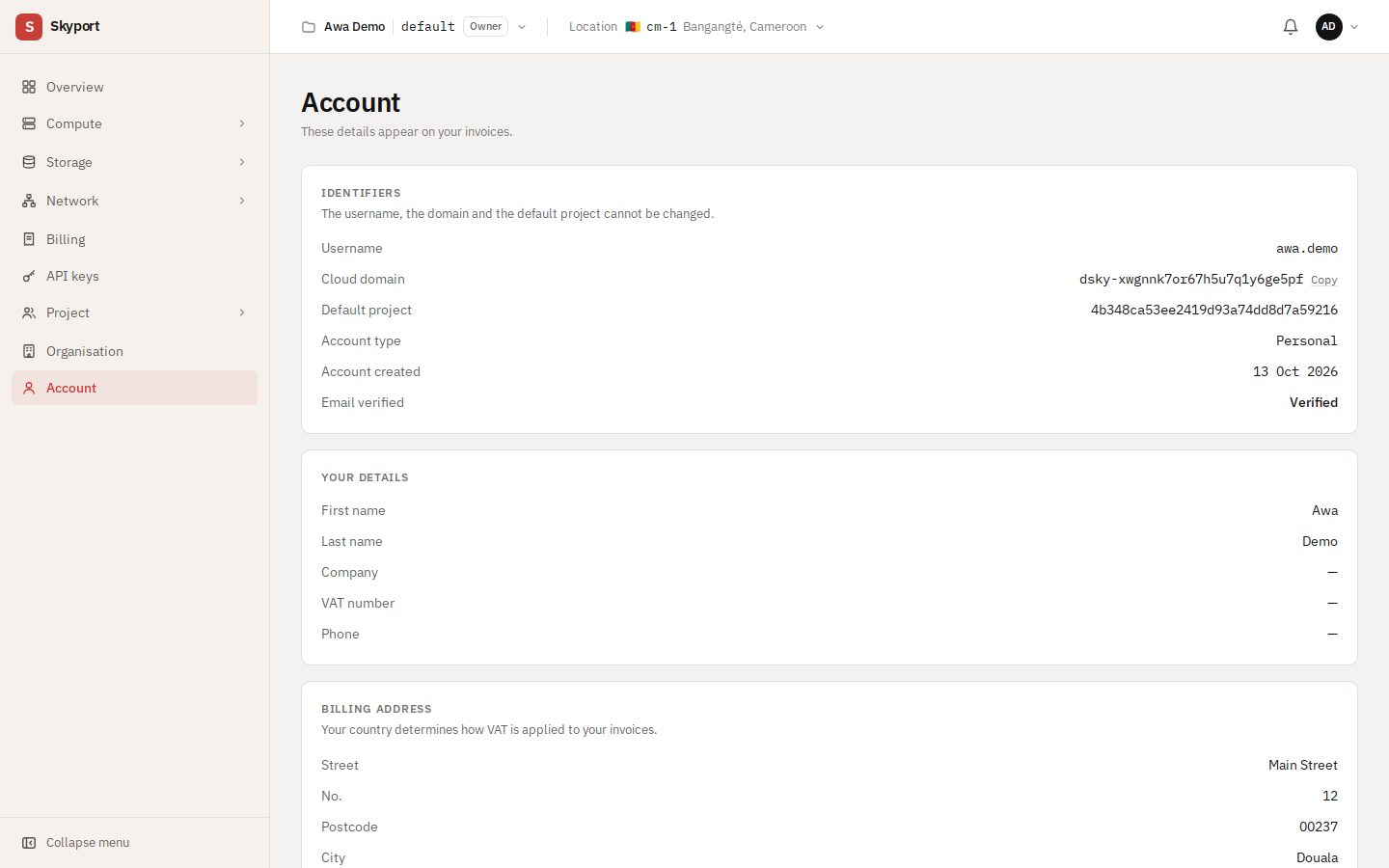
The Account page holds what you entered at sign-up; these details appear on your invoices. The username, domain and default project cannot be changed. To change your billing address, which decides the VAT applied, write to us.
Security#
Each change goes through the secure sign-in page, then brings you back here:
- Password: change it.
- Two-factor authentication: add a one-time code from an authenticator app. Recommended.
- Profile: the name and email you sign in with.
SSH key pairs#
Import key adds a public key you already have; Nova injects it when instances start. No key yet? Generate one with ssh-keygen -t ed25519 and paste the contents of the .pub file.
Leave an organisation, delete your account#
Leaving an organisation or deleting your account neither stops nor deletes its organisations' resources: only closing an organisation does.
- Leave the organisation: you lose access to all its projects; the projects you own pass to the organisation's owner.
- Delete my account: possible once you own no organisation; close them or transfer them to an administrator first. Type your username or email to confirm. You leave all your organisations and can no longer sign in.
Close an organisation#
The owner closes the organisation from Organisation › Close the organisation.
- At once: servers are stopped and locked, public IP addresses released, and nothing more can be created. Only the owner keeps access, to follow or cancel the closure.
- For 14 days: volumes, snapshots, images and backups are kept, and you can cancel the closure.
- After that: all resources, projects and the organisation are deleted for good. Nothing can be recovered.
Billing stops with the resources. A final statement is drawn up; the remaining paid credit is refunded after review, promotional credit is lost.