 Skyport
Images
Updated October 17, 2026
An image is the starting disk of an instance: an operating system provided by SkyEngPro, or a copy of one of your instances or volumes.
Skyport does not import images from the internet or from your computer. You start instances from images checked by SkyEngPro, or from copies of your own instances and volumes: an image from outside could carry malware.
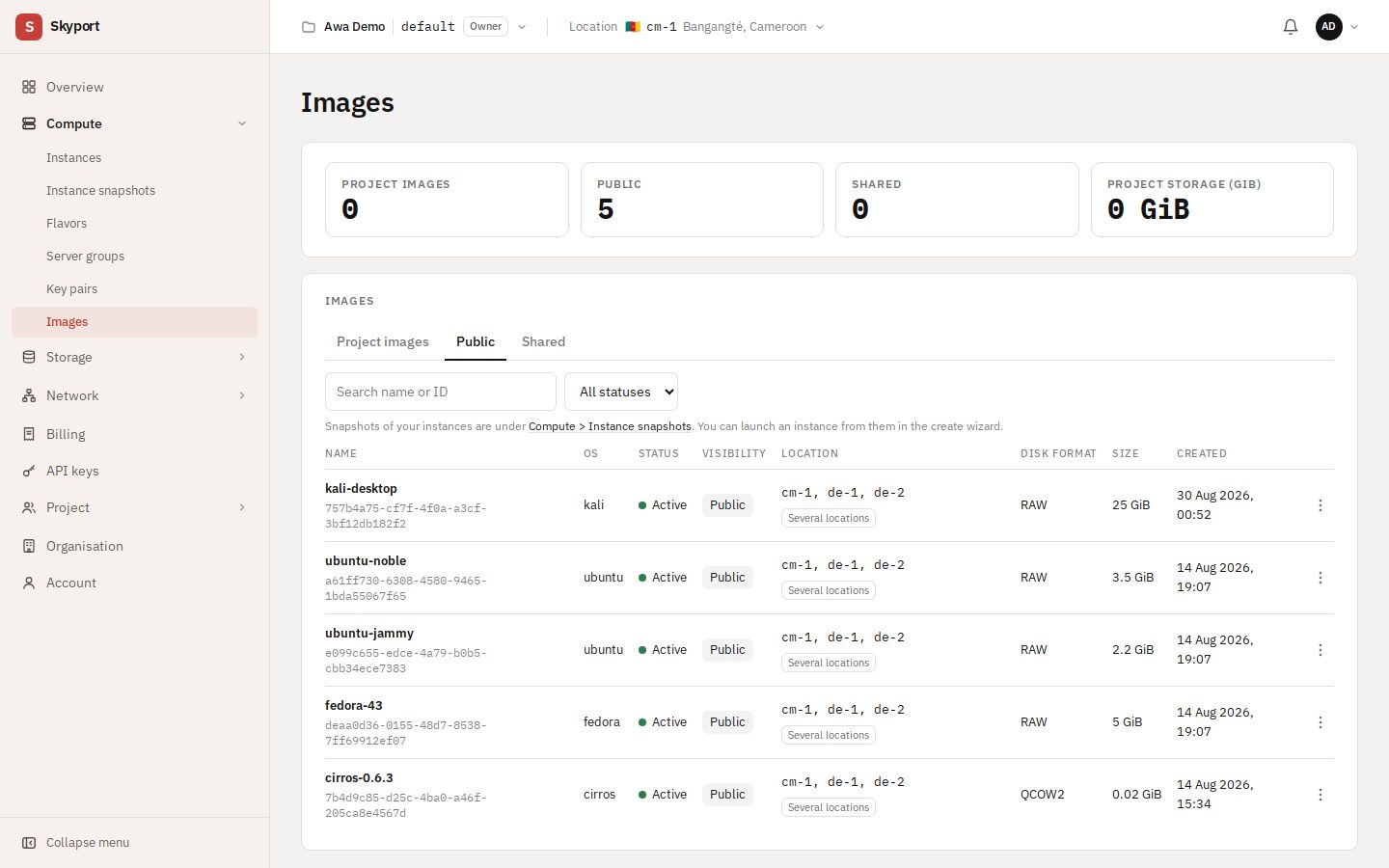
The Images page#
In Compute › Images, three tabs:
- Public: the systems SkyEngPro provides (Ubuntu, Fedora…), available to everyone.
- Project images: the ones you created from your volumes. Your instances' snapshots are in Compute › Instance snapshots instead.
- Shared: the ones another project shared with yours.
Create an image#
- From an instance: in the instance's menu, Create snapshot. The snapshot shows in Compute › Instance snapshots and in the creation wizard's My images tab.
- From a volume: in the volume's menu (Storage › Volumes), Create image, with a name and a disk format.
Create a volume from an image#
In an image's menu, Create volume makes a new volume holding a copy of the image. Its size must be at least what the image needs. That volume can then start an instance (the wizard's Volumes tab) or be attached to one. Create instance, in the same menu, opens the wizard with this image.
Manage an image#
- Edit
- The name, and the minimum disk (GiB) and RAM (MiB) it requires.
- Make shared, Manage access
- A shared image can be opened to another project, by that project's ID. The invited project shows as pending until it accepts.
- Change visibility, Manage metadata
- Who sees it, and its custom properties.
- Delete
- Cannot be undone. Instances already created from it are not affected.